
Hey 👋
I'm Austin Gil
austingil.com | @heyAustinGil
- Hacking on websites since 2013
- Help folks build better websites
- Interests: bikes, soccer, camping, pinball, roller derby, my chiweenie
Hey 👋
I'm Austin Gil
austingil.com | @heyAustinGil
- Hacking on websites since 2013
- Help folks build better websites
- Interests: bikes, soccer, camping, pinball, roller derby, my chiweenie
🚧 DISCLOSURE 🚧
I work at Akamai (akamai.com)
We offer a lot of relevant services
Really hard not to mention (kind of my job)
Impossible to be 100% unbiased
🤝 ASSURANCE 😘
This is not a sales pitch in disguise
I’m here to teach practical, general concepts
I may mention Akamai because it’s familiar
But this info applies anywhere
Let’s take a trip back in time
Version control?
CI/CD?
Deploy previews?
We had two tools


Those were good times…
Simple times…
But things had to change…
The internet changed…
It got complicated…
So here we are…
Before we even start…
What’s the first thing you do before you start writing code?
Terminal + magical incantation (e.g. npm run dev)
Starts a local dev server.
Why do I need a dev server?
- File (
file:///C:/index.html) != HTTP (http://localhost:42069) - Support GET, POST, PUT, PATCH, DELETE, etc.
- Absolute (
/path) vs. relative (../path) - Server-side rendering
- No latency (faster)
- Works offline
- Run background processes…
File Watchers
Websites don’t know when a files have changed.
In the past: ctrl+r || F5 (carpal tunnel 😱)
These days: ctrl+s => instant browser updates
Sometimes called "Hot Module Replacement" or HMR.
HMR
- Dev server starts file watcher to listen for changes (e.g.
chokidar) - Write
<div>=> dev server responds: compiling, transpiling, bundling - Dev server sends changes to client (e.g.
WebSockets) - Client updates the web app with
<div>
You can even see this in the network tab if you’re into that sort of thing… 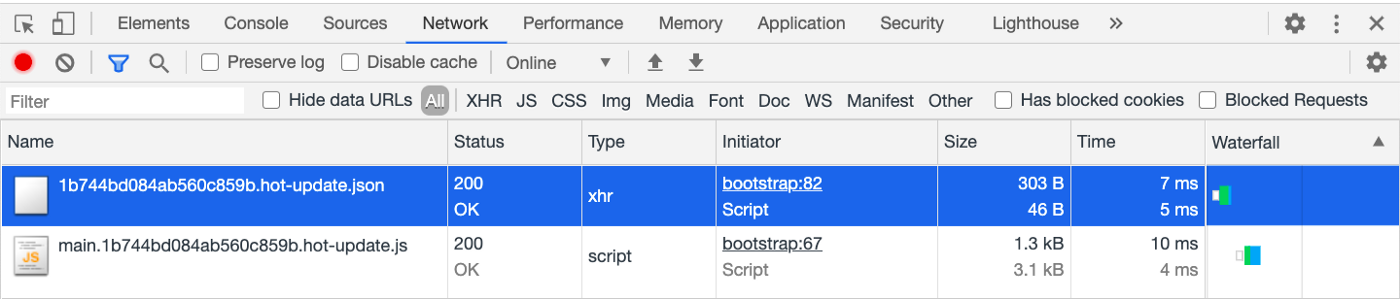
Compiling, Transpiling, Bundling…what?
More Magic When You Save
// main.js
import React from 'react'
import ReactDOM from 'react-dom/client'
import App from './App.tsx'

ReactDOM.createRoot(document.getElementById('root')).render(
  <App />
)
Modern apps have several files called modules.
These modules get stitched together by a bundler (e.g. rollup).
Bundling is cool!
You provide entry point (e.g main.js)
Bundler maps out file relationship.
"Dependency Resolution"
Avoids duplicate code.
Prevents circular dependencies.
Resulting in a dependency graph…
But there’s still one problem…
What you see:
- .jsx
- .tsx
- .vue
- .svelte
- .astro
- .webc
What the browser sees:
Transpilation
Transpilers (e.g. babel)
What:
Why:
Run language (JS) or syntax (ES2015) do.
How (depends on transpiler):
- Generate tokens for each part of the source code.
- Transform tokens into an Abstract Syntax Tree (AST).
WTF is an AST!?!?

JS program:
console.log('I love Nugget!')console.log('I love Nugget!')console.log('I love Nugget!')console.log('I love Nugget!')console.log('I love Nugget!')console.log('I love Nugget!')AST representation (by shift-js):
{
  "type": "Module",
  "directives": [],
  "items": [{
    "type": "ExpressionStatement",
    "expression": {
      "type": "CallExpression",
      "callee": {
        "type": "StaticMemberExpression",
        "object": {
          "type": "IdentifierExpression",
          "name": "console"
        },
        "property": "log"
      },
      "arguments": [{
        "type": "LiteralStringExpression",
        "value": "I love Nugget!"
      }]
    }
  }]
}Great! But why do I need one?
- Create a parser program called a "Visitor".
- Transpiler can "walk" the Visitor through "tokens" and do [insert action].
- Makes it possible to add, remove, transform, anything you want.
Good example:
===>
Putting it all together
// main.tsx
import React from 'react'
import ReactDOM from 'react-dom/client'
import App from './App.tsx'

ReactDOM.createRoot(
  document.getElementById('root')
).render(<App />)- Several modules
- Written in .tsx
- Uses modern syntax
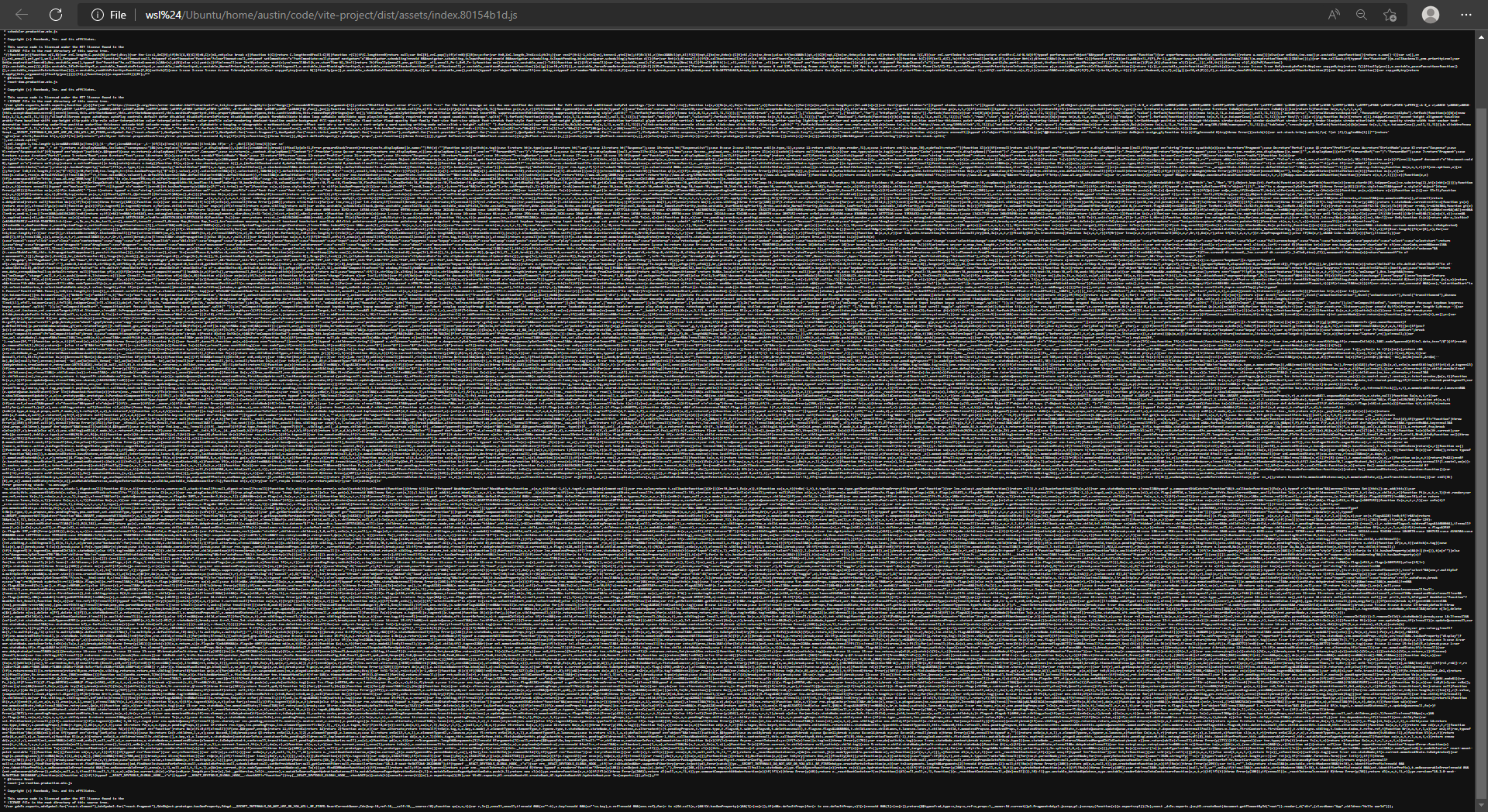
- One 139.76kb file
- Written in JavaScript
- Supports older syntax
** Example is client-side JS app, not SSR or SSG **
Remember…
- A lot has to happen between
ctrl+sand reload - Code in the browser is a freaky mutated version of your code
- Production code is the mega final evolution version of your code
If you're lucky, it's also ✨shiny✨
Deploying
(╯°□°)╯︵ ┻━┻ ===> ┳━┳ ノ(゜-゜ノ)
I don’t know about you, but for me…
- Write
<div> - Commit changes
- Push to git repo
- (∩^ᗜ^)⊃━☆゚.* (???)
Cont. Integration & Delivery (CI/CD)
Most Git services offer tools to respond to commits (e.g GitHub Actions).
With GitHub Actions:
- Create a folder called
.github/workflows/. - Add a
.ymlfile (e.g.ci.yml). - Push new commit to GitHub.
- GitHub runs our Action.
Example
Instructions for the Octocats:
# ci.yml
jobs:
  deploy:
    runs-on: ubuntu-latest
    steps:
      - uses: actions/checkout@v2

      - run: npm ci

      - run: npm run build

- run: npm run deploy💪😎🤘
🍾 Sick!!! 🎉
🥂🥳🚀
(wait… what do the build and deploy commands do again!?)
💩
Could be…
- Create production artifacts & upload to VPS (Vite +
scp+ Linode?) - Create container image & send to a registry (Docker + Kunernetes?)
- Run code quality checks (
TypeScript,ESLint,Vitest?). - Build static site & distribute to CDN (Akamai?)
- Run a bunch of esoteric command line scripts (
bash+ some dude named 'Larry' wrote five years ago then left and now you’re too afraid to touch)
Remember…
- 4 different environments:
- Development (e.g. Your laptop)
- Testing (e.g. Vitest)
- CI/CD (e.g. GitHub Actions)
- Production (e.g. Linode)
- Development != Testing != CI/CD != Production
It’s the final section
(dee duh dee doo)
(dee duh dee dee doo)
How do users get…


Step 1 - Networking
(☞゚ヮ゚)☞ ☜(゚ヮ゚☜)
In order to load austingil.com
Browser needs the IP address
- Check browser cache.
- Check local hosts cache.
- Check network stack.
- Router cache?
- ISP cache?
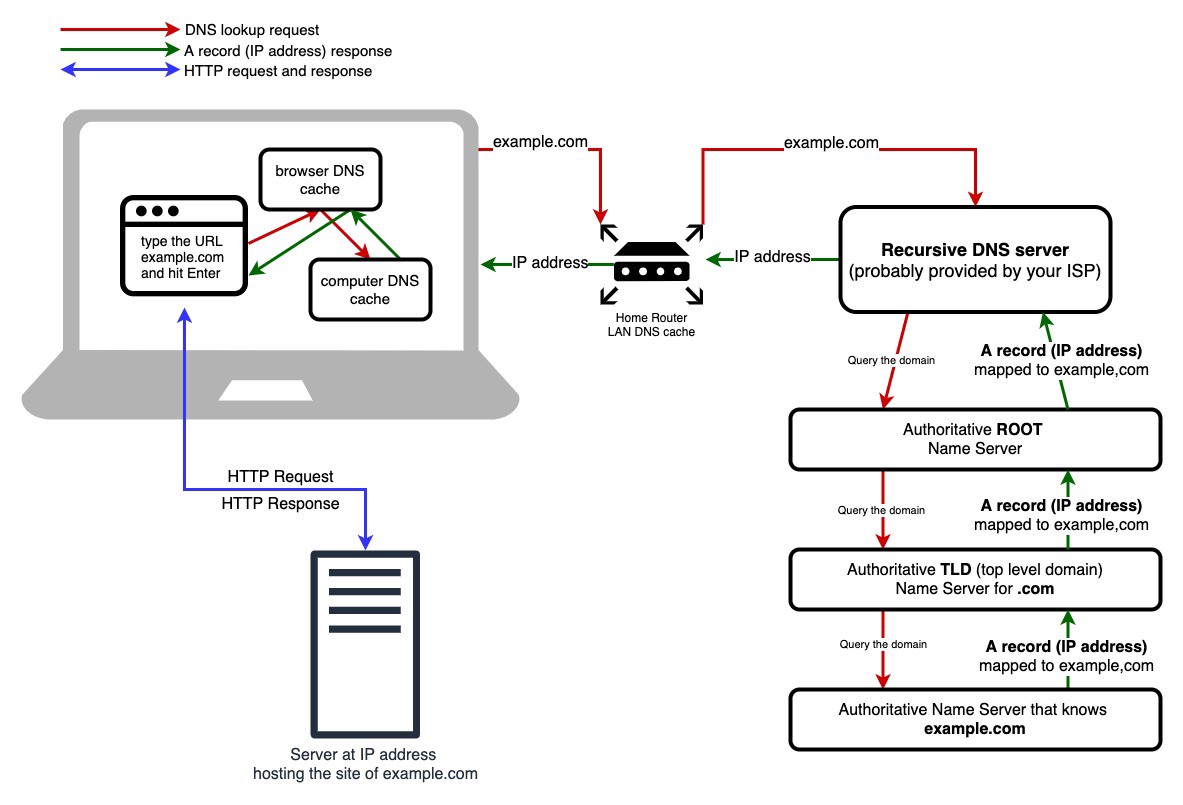
No cache? DNS lookup time!
- Send request to DNS Recursive Resolver.
- Forwards to Authoritative Root nameserver.
- Forwards to Top Level Domain (TLD) nameserver (
.com,.net,.pizza). - Forwards to
austingil.com’s nameserver - IP is returned to the Resolver.
- IP is returned to the browser.
- Browser can connect to server.
Remember…
Caching is a thing (and can be a pain in the 🍑):
- Browser
- Operating system
- Router
- ISP
Step 2 - Connecting
💗(¯ з¯) (¯ε ¯)💗
Four parts
- 2.1 Prepare the packet
- 2.2 Open the connection
- 2.3 Secure the connection
- 2.4 Make the request
2.1 Prepare a packet
With the IP, browser can prepare packet.
Packet: a small chunk of data which is part of a larger message.
2.2 Open the connection
Transmission Control Protocol (TCP): Guarantees accurate delivery.
Internet Protocol (IP): Guarantees the correct address.
Your computer and the server connect using "TCP over IP" (or TCP/IP).
TCP "handshake"
2.3 Secure connection
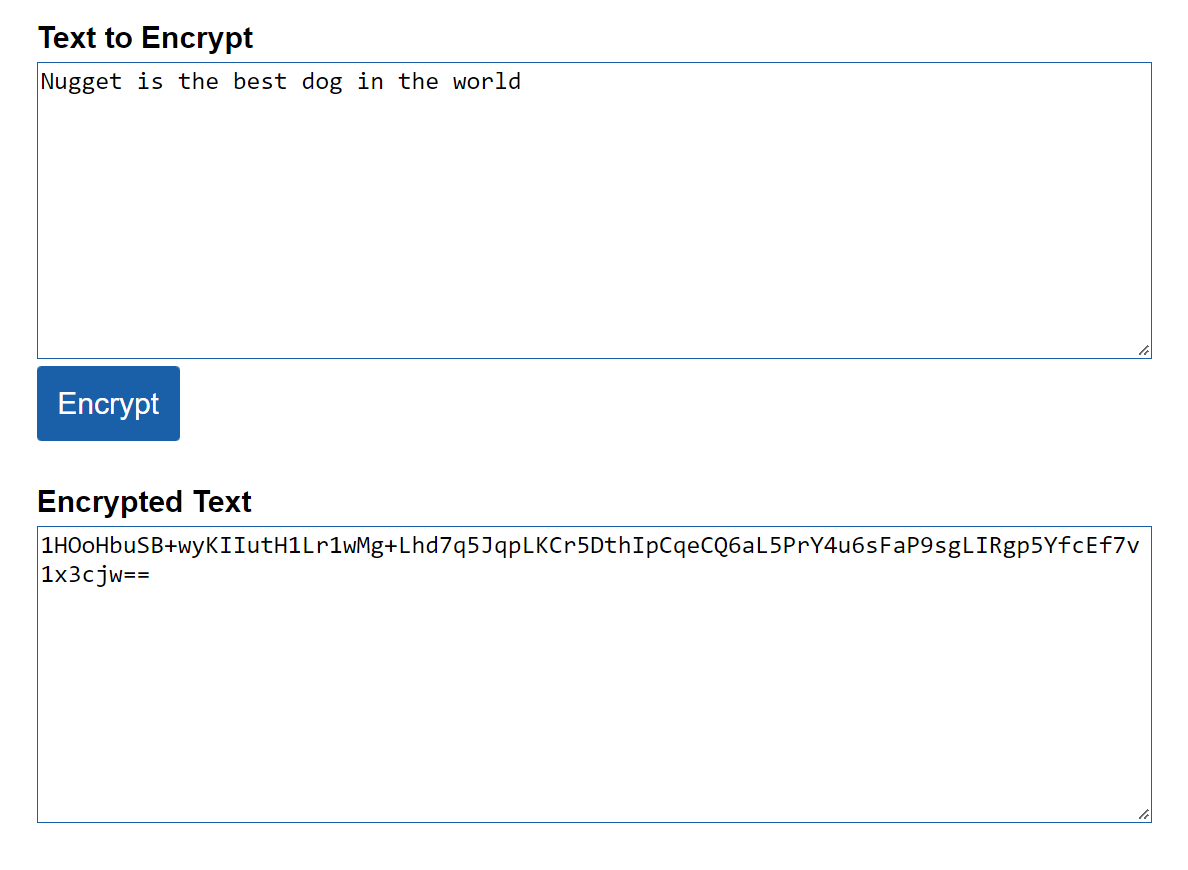
Secure Socket Layers (SSL): cryptographic protocol to encrypt data and authenticate a connection on the Internet
"Um, actually…"
Transport Layer Security (TLS): cryptographic protocol to encrypt data and authenticate a connection on the Internet
For HTTPS green lock, you need SSL (or TLS)
SSL (or TLS) "handshake"
2.4 Make the request
Browser
💻GET / HTTP/1.1
Host: austingil.com
Connection: close
[...request headers]Request using Hypertext Transfer Protocol (HTTP)
Edge Compute
Modify request and/or response between client and server
(talk to me)
Server
HTTP/1.1 200 OK
Content-Type: text/html
Connection: Closed
[...response headers]

<!DOCTYPE html><html><head>...
Generates HTML for HTTP response
Browser parses HTML
Multiple resources (fonts, styles, scripts, etc)?
Repeat process from HTTP request.
Different domains (CDN)?
Repeat process from DNS lookup.
Step 3 - Rendering
🖌️ლ( ͡°෴ ͡° )
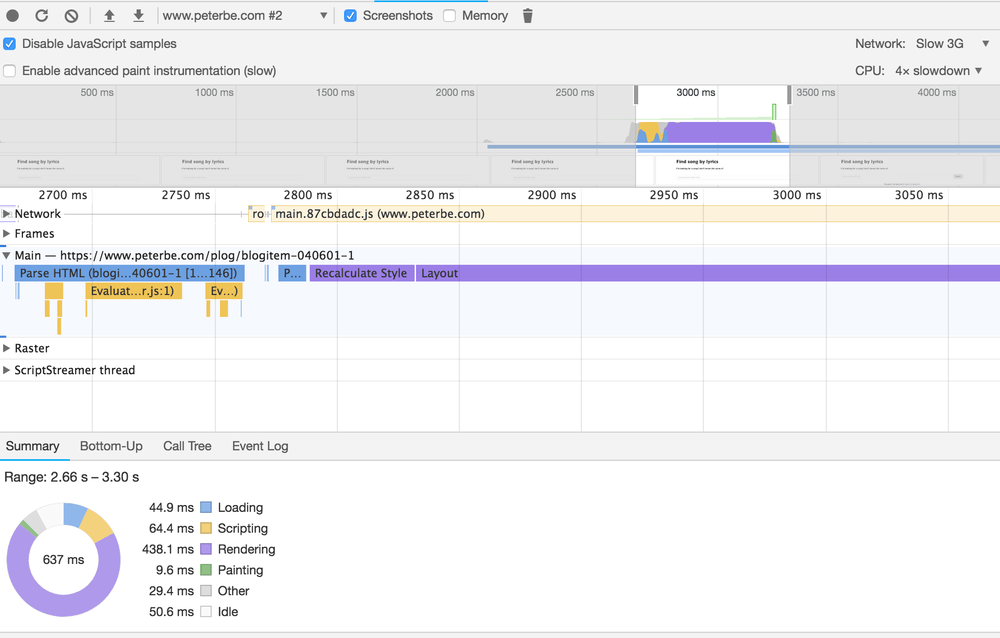
Critical rendering path
- Construct the DOM Tree (Object representation of HTML)
- Construct the CSSOM Tree (Object representation of DOM styles)
- Run JavaScript
- Create Render Tree (DOM + CSSOM for RENDERED nodes)
- Calculate styles
- Generate layout
- Create animations layers
- Put pixels on respective layers (Paint)
- Flatten layers to make the screen (Composite)

Devtools Performance tab
Remember…
- Render performance is determined by Critical Render Path
- How you author CSS and JS impacts Critical Render Path
(Everything)
Congrats!
Now we know how to make a <div>
Let’s recap from the beginning…
<div> -> Git commit -> Git push -> CI/CD pipeline -> Transpile -> "Dependency Resolution" -> Bundle -> Package -> Upload to prod -> Open URL -> Browser -> OS -> Wifi -> Router -> Modem -> ISP -> DNS resolution -> Server's IP -> TCP handshake -> TLS handshake -> HTTP request -> (Edge compute) -> Akamai server -> HTTP response -> (Edge compute) -> Browser -> Download HTML -> Repeats for CSS, JS, img, etc. -> Construct DOM -> Construct CSSOM -> Run JS -> document.createElement('div'); -> Render -> Layout -> Paint -> Composite -> Celebrate that somehow we managed to get it to work!!! 🥳